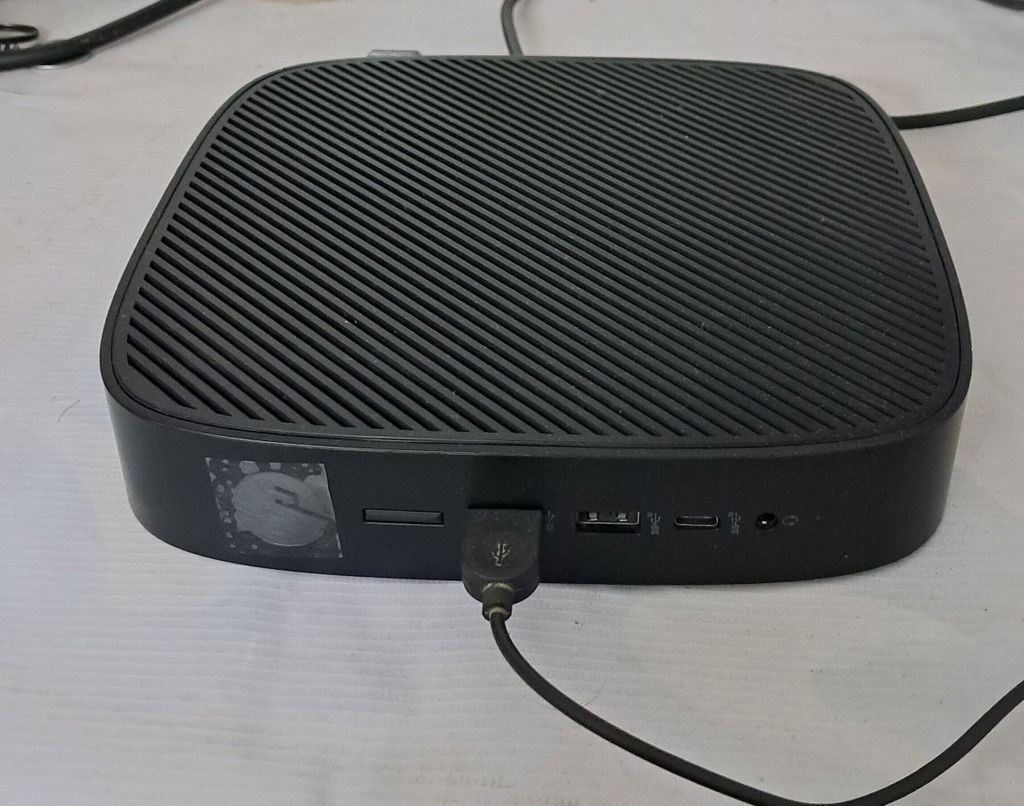

The safest way to buy second hand laptop stock is to get the condition, battery, warranty, and serial number details in writing before you pay. A clear answer from the seller helps you see what you are buying, while a vague answer can hide a costly problem.
When you buy a second hand laptop, the hardware matters, but the seller matters too. A reliable seller shares the battery report, warranty terms, and serial number clearly. Good business laptops are available after proper testing and repair, but you need to spot a risky listing.
Why Seller Answers Matter More Than a Low Price
A low price will not feel like a good deal if the display panel flickers or the battery backup drops after a few weeks. Before you buy, get these 4 answers:
-
The laptop grades and what the stated laptop condition includes.
-
The battery health figure, not only a verbal promise.
-
The warranty period, repair process, and return policy.
-
The serial number or service tag for the manufacturer's record.
Check the Laptop Condition, Body, and Display
Confirm the Grade and Physical Condition
Ask what Grade A means for that listing. A Grade A laptop may still have light marks, so confirm that the physical condition in the photos belongs to the exact laptop. Our guide to laptop grades can help before you order.
Inspect the Screen, Keys, and Hinges
Check for dead pixels, backlight bleeding, and yellowing on the display panel. Move the brightness from low to high, test the hinges, and type on every key to find faded keys or keys that do not respond.
At Saudewala, we grade each unit before listing it and show real photos of the refurbished laptops India customers actually receive.
Ask for Clear Battery and Performance Details
Battery problems can stay hidden during a short test. Ask for the battery cycle count, design capacity, current capacity, and battery report.
On Windows, powercfg battery report helps you check battery health. For the actual Windows command, use powercfg /batteryreport, which creates a battery report. Also ask about the original charger or a compatible replacement.
Saudewala checks for at least 90 minutes of video playback backup, so you can test the battery backup on day one.
For performance, ask for the processor generation, not only i5 or i7. An 8th Gen i5 can be better than an older i7. Confirm 8GB RAM or 16GB RAM, SSD storage, storage type and size, and storage health. Check that Windows is genuinely activated with a digital licence, not a pirated install. Then listen to the fan under load.
Get Warranty, Return, and Invoice Proof
Ask who will handle repairs. A written warranty policy should explain the warranty length, covered parts, and return window. It should state whether service is on-site service, available at on-site warranty locations, or carry-in. A 14-day replacement should cover a configuration mismatch.
Before payment, request the serial number or service tag and check the manufacturer's warranty lookup. It should match the manufacturer's record and your GST invoice. Also confirm the GSTIN through the government Search Taxpayer portal, registered business address, BIOS password, and device management enrolment status.
Saudewala is a GST-registered company in Sahibabad, Ghaziabad, and every order includes a GST invoice. Buyers in Delhi NCR can inspect a unit before paying. Our warranty policy includes on-site service on products above ₹20,000 across most Indian cities. Check on-site warranty locations for your pincode and our 14-day replacement and return policy.
Understand Second Hand, Refurbished, and Open Box Laptops
|
What you are offered |
Testing done |
Warranty |
Best suited for |
|
Second-hand laptop from an individual |
None, sold as is |
Usually none |
Buyers who can test hardware themselves |
|
Refurbished, uncertified |
Cleaned and resold |
Verbal or 1 month |
Risky at any price |
|
Certified refurbished |
Full component testing and repair |
6 months or more |
Students, offices, daily work |
|
Open box |
Factory sealed, returned unused |
Often near new |
Buyers wanting new condition for less |
Ask the seller which row applies and get that answer in writing. A refurbished laptop, especially a refurbished business laptop, needs clear testing details. The same rule applies to certified refurbished laptops.
Compare Price, Budget, and Bulk Options
Compare the current market value for the exact configuration. A second hand laptop shop near me may show different prices because testing and warranty differ.
-
Under ₹10,000: older i3 laptops for browsing, email, and light classwork.
-
₹15,000 to ₹20,000: many used laptop options with 4th to 7th Gen i5, 8GB RAM, and an SSD.
-
₹25,000 to ₹35,000: 8th Gen and newer business models, often with 16GB RAM.
-
Bulk lots and bulk orders: lower per-unit pricing for matched office laptops.
When buying used hardware for an office, ask how bulk lots are tested. Saudewala offers refurbished laptops under 20000, student laptops, and bulk orders with GST billing. We also offer partial COD: pay 5% now and the rest at your door.
Avoid Laptop Scams in India
Do not continue when a seller refuses to start the laptop, share battery health, or give the serial number. These are common signs behind laptop scams in India. Make an unboxing video for online deliveries. Saudewala accepts damage reports within 24 hours with an unedited unboxing video.
Choose a Seller Who Gives You Straight Answers
Buying used hardware becomes easier when every important detail is clear. If you want to buy a second hand laptop without chasing sellers, browse our refurbished Dell laptops and other listings. Each listing explains the grade, testing, and warranty.
Read is Saudewala genuine and check the GSTIN yourself. If you are comparing second hand laptops online in India or looking for a trusted second hand laptop shop, call +91 92115 94201. Tell us what you need, and we will help.
FAQs
1. What questions should I ask before buying a second hand laptop?
Check the battery cycle count, serial number, warranty period, and return window. Then confirm that Windows is genuinely activated and that the seller will provide a GST invoice.
2. How do I check the battery health of a used laptop?
Run powercfg /batteryreport and compare design capacity with current capacity. Check the cycle count, then test the battery backup after delivery.
3. Is it safe to buy second hand laptops online in India?
It can be safe with a verifiable GSTIN, written warranty, and clear return policy. Check the serial number against the manufacturer's record and keep an unboxing video.
4. Which is better, a second hand laptop or a refurbished laptop?
For most buyers, a certified refurbished laptop is safer because it should be tested, repaired, and graded. A second hand laptop can cost less but may not include a warranty.
5. Do second hand laptops come with a warranty in India?
A second hand laptop from an individual usually has no warranty. Professional sellers may offer 6 months or more. Read the warranty policy, confirm on-site service or carry-in, and get the terms on the invoice.